Utilities
Utilities connect your OrionIQ agents to external systems, giving them access to additional context and enabling interoperability across your toolchain. For example, an agent can pull data from a ticketing system or push results to a collaboration platform.
To access Utilities, navigate to OrionIQ > Utilities in the left navigation menu.
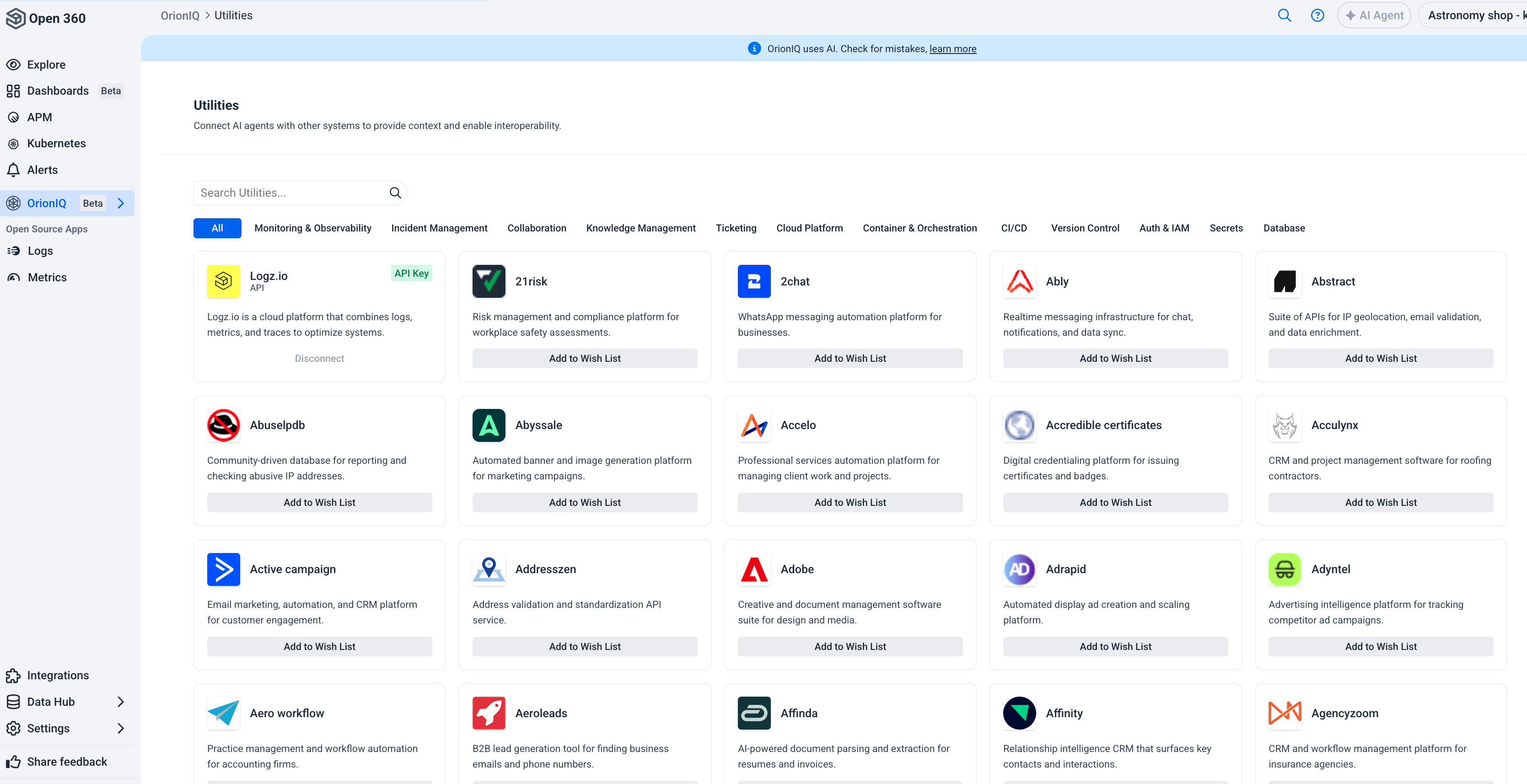
Browse available utilities
Utilities are organized into the following categories:
| Category | Examples |
|---|---|
| Monitoring & Observability | Logz.io (connected by default), and other monitoring platforms. |
| Incident Management | PagerDuty, Opsgenie, and similar incident response tools. |
| Collaboration | Slack, Microsoft Teams, and other messaging platforms. |
| Knowledge Management | Confluence, Notion, and documentation platforms. |
| Ticketing | Jira, ServiceNow, and other issue tracking systems. |
| Cloud Platform | AWS, Azure, GCP, and other cloud providers. |
| Container & Orchestration | Kubernetes and container management tools. |
| CI/CD | Jenkins, GitHub Actions, and other deployment pipelines. |
| Version Control | GitHub, GitLab, and other source control platforms. |
| Auth & IAM | Identity and access management systems. |
| Secrets | Secret management tools such as HashiCorp Vault. |
| Database | Database management and querying tools. |
Use the search bar to find a specific utility, or click a category tab to filter the list.
Connect a utility
The Logz.io utility is connected by default and provides agents with access to your observability data via the Logz.io API.
To request access to additional utilities, click Add to Wish List on the utility you're interested in. This helps Logz.io prioritize which integrations to support next.
Utilities is an evolving capability. New integrations are added regularly based on user demand.