Usage & Performance Dashboard
The Usage & Performance Dashboard gives you a high-level view of how your OrionIQ agents are performing. Use it to track invocation volume, monitor costs, and evaluate agent reliability over time.
To access the dashboard, navigate to OrionIQ > Usage & Performance Report in the left navigation menu.
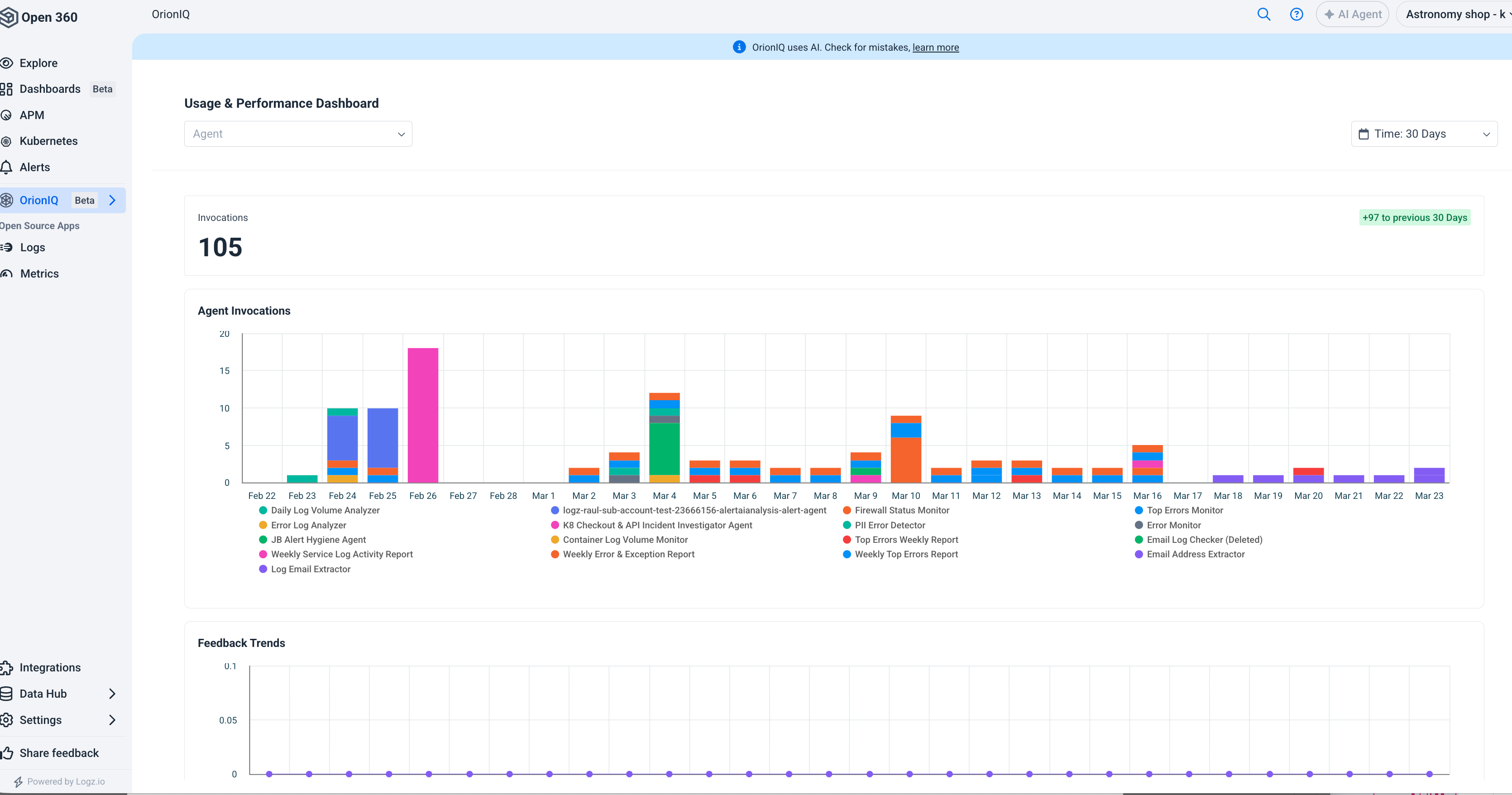
Dashboard filters
Use the filters at the top of the page to narrow the data displayed:
- Agent: Select a specific agent or view data for all agents.
- Time: Choose a time range (for example, 30 Days) to control the reporting period.
Invocations
The top of the dashboard shows the total number of invocations during the selected period, along with a comparison to the previous period (for example, "+240 to previous 30 Days").
Agent invocations chart
The Agent Invocations bar chart shows daily invocation volume broken down by agent. Each color represents a different agent, making it easy to spot which agents are running most frequently and identify usage trends over time.
Feedback trends
The Feedback Trends chart tracks feedback scores over time. This helps you evaluate whether agents are producing useful results and identify agents that may need their instructions refined.
Summary table
The summary table at the bottom of the dashboard provides a per-agent breakdown with the following columns:
| Column | Description |
|---|---|
| Name | The agent name. |
| Invocations | Total number of invocations during the selected period. |
| Avg. Feedback Score | The average feedback score received across all invocations. |
| Feedback Coverage | The percentage of invocations that received feedback. |
| Invocation Cost | The total cost of invocations for the agent during the selected period. |
Regularly review the Usage & Performance Dashboard to identify agents with low feedback coverage. Providing feedback on agent results helps improve AI performance and ensures your agents deliver reliable analysis.