Marketplace
The OrionIQ Marketplace provides a catalog of pre-built agent templates that you can install and start using right away. These templates cover common observability and security use cases, so you can get value from OrionIQ without building agents from scratch.
To access the Marketplace, navigate to OrionIQ > Marketplace in the left navigation menu.
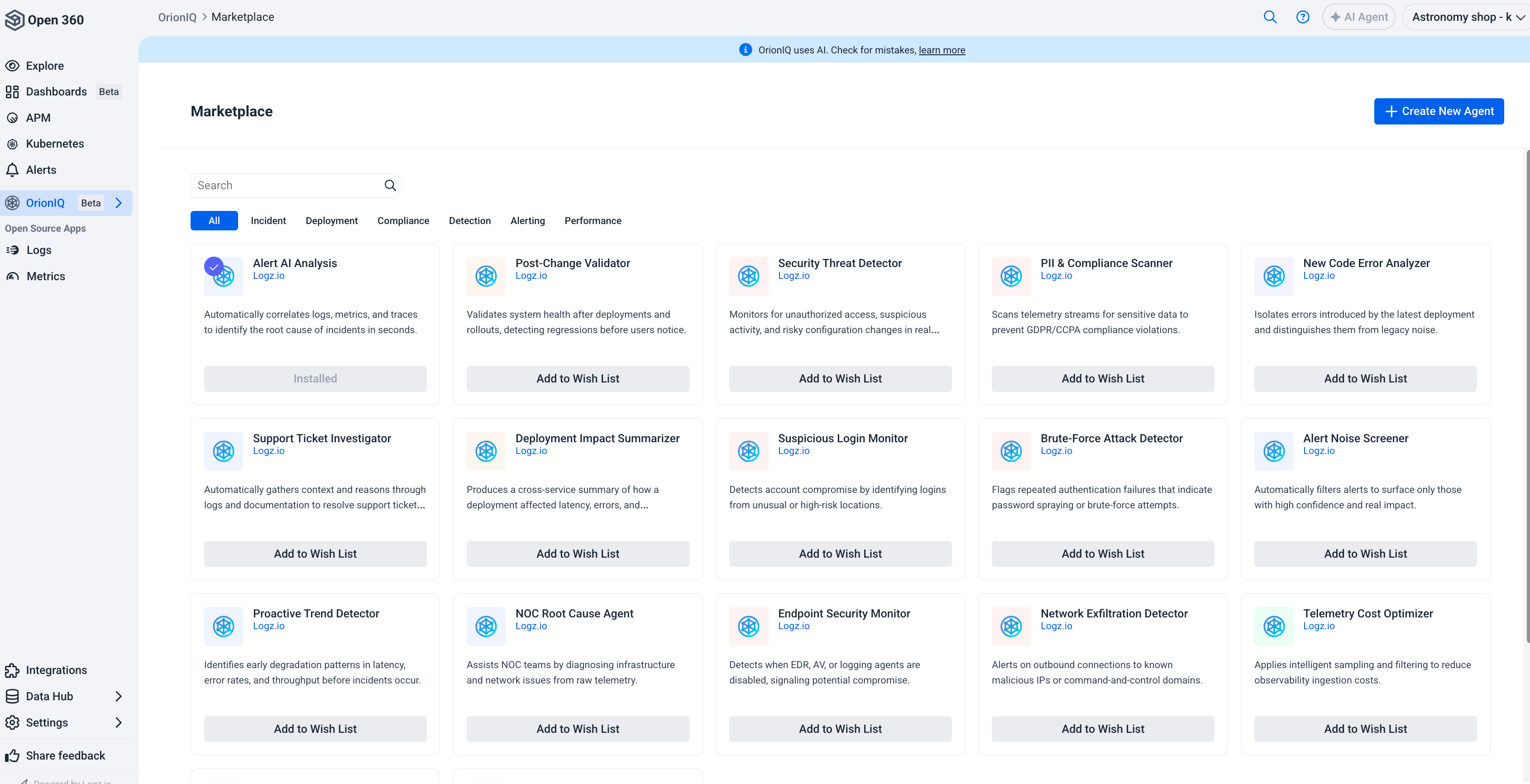
Browse agent templates
Agent templates are organized into the following categories:
| Category | Description |
|---|---|
| Incident | Agents that help investigate and resolve incidents, such as root cause analysis and support ticket investigation. |
| Deployment | Agents that validate system health after deployments and detect regressions. |
| Compliance | Agents that scan for sensitive data and help prevent compliance violations (for example, GDPR/CCPA). |
| Detection | Agents that monitor for security threats, suspicious logins, and brute-force attacks. |
| Alerting | Agents that filter and prioritize alerts to surface high-confidence, high-impact events. |
| Performance | Agents that identify early degradation patterns in latency, error rates, and throughput. |
Use the search bar at the top of the page to find specific agent templates, or click a category tab to filter the list.
Install an agent template
To install an agent template, find the template you want and click Install. The agent is added to your Agents Hub where you can configure its trigger, notification recipients, and other settings before activating it.
If a template you're interested in is not yet available, click Add to Wish List to signal your interest. This helps Logz.io prioritize which templates to build next.
You can also click + Create New Agent in the top right corner to build a custom agent from scratch.